Our First
OpenClaw Teammate
What an always-on AI agent actually does for a small but mighty team – from daily briefings and pipeline checks to code deploys and tax admin.
From Assistant
to Teammate
For months, I thought the next level was better prompts. Longer system instructions. Smarter models. More context.
I was wrong.
I'd already reached Level 4 on the AI Skill Path – the Corsair stage. AI was my power tool. I used Claude Code every day to build features, write copy, plan content. It was fast, it was good, and it only worked when I was sitting in front of it.
Every task started with me. Every output required my input. The AI was incredibly capable – but it waited. It had no workspace, no schedule, no way to do anything unless I opened the laptop and typed something.
I recently introduced Jarvis, my Vibe Manager – the full integration of Linear as my project dashboard plus Claude Code as my coding assistant. A good start. But Jarvis only moved when I told it to. It lacked the one thing I actually needed: proactiveness.
The real gap wasn't intelligence. It was infrastructure and onboarding. The same things you'd invest in for a human hire: a workspace, communication channels, tool access, and clear responsibilities.
That's Level 5 – Captain. The AI doesn't just assist you. It runs parts of the business while you sleep.
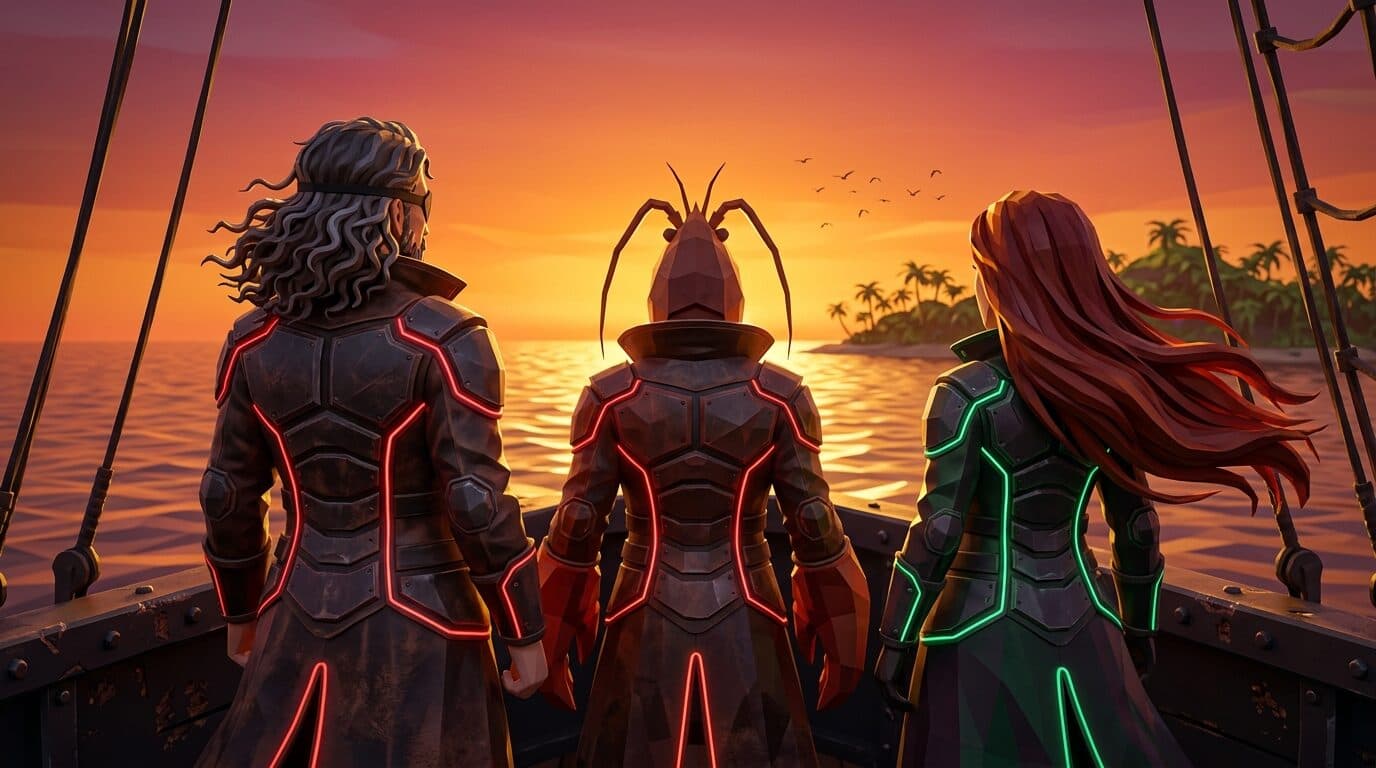
So let me show you what that actually looks like. Here's the Pirate Skills crew – the whole thing. Two humans and one AI.
Our Small but Mighty Crew

Ben
Mostly Human
Captain
Product vision, marketing strategy, content creation, and community building. Sets the course with data, signals, and relentless analysis.
ChristAIna
AI Agent #1
Quarter Master
Daily briefings, CRM pipeline management, code deploys, content scheduling, email monitoring, analytics, and system monitoring.

Christina
Very Human
First Mate
Second brain, content support, finance operations, and customer communication. Leads with intuition and keeps the crew aligned.
The name is the joke. For months, everyone around us kept saying: “We all need a Christina.” Because my fiancée Christina – the human First Mate – is genuinely that good. She keeps the whole operation running, remembers everything, connects the dots I miss.
So when I set up the AI agent, the name was obvious. ChristAIna. The AI version of the person everyone wanted to clone. She handles the organizational load, the daily routines, the CRM pipeline, the content scheduling – everything that needs to happen reliably, on time, without anyone asking.
Three crew members. A small team – but a mighty one. And honestly, there's very little keeping us from adding more agent teammates. The infrastructure is there. The pattern is proven. This small team could get a lot mightier.
But first – let me show you how we actually set this up.
The Foundation:
OpenClaw + Claude Code
OpenClaw is a free, open-source personal AI agent created by Peter Steinberger. You might not know the name, but you've almost certainly used his work – he built PSPDFKit, the PDF engine that runs inside thousands of apps on your phone and browser right now. After a successful exit, he came back from retirement to build OpenClaw, which became one of the fastest-growing open-source projects on GitHub.
OpenClaw runs on your own infrastructure – your data, your keys, your control. It connects to messaging platforms you already use: Slack, WhatsApp, Telegram, Discord.
I wasn't interested in running it locally on a Mac Mini, as many people do. I wanted it hosted on a reliable managed server – always on, always reachable.
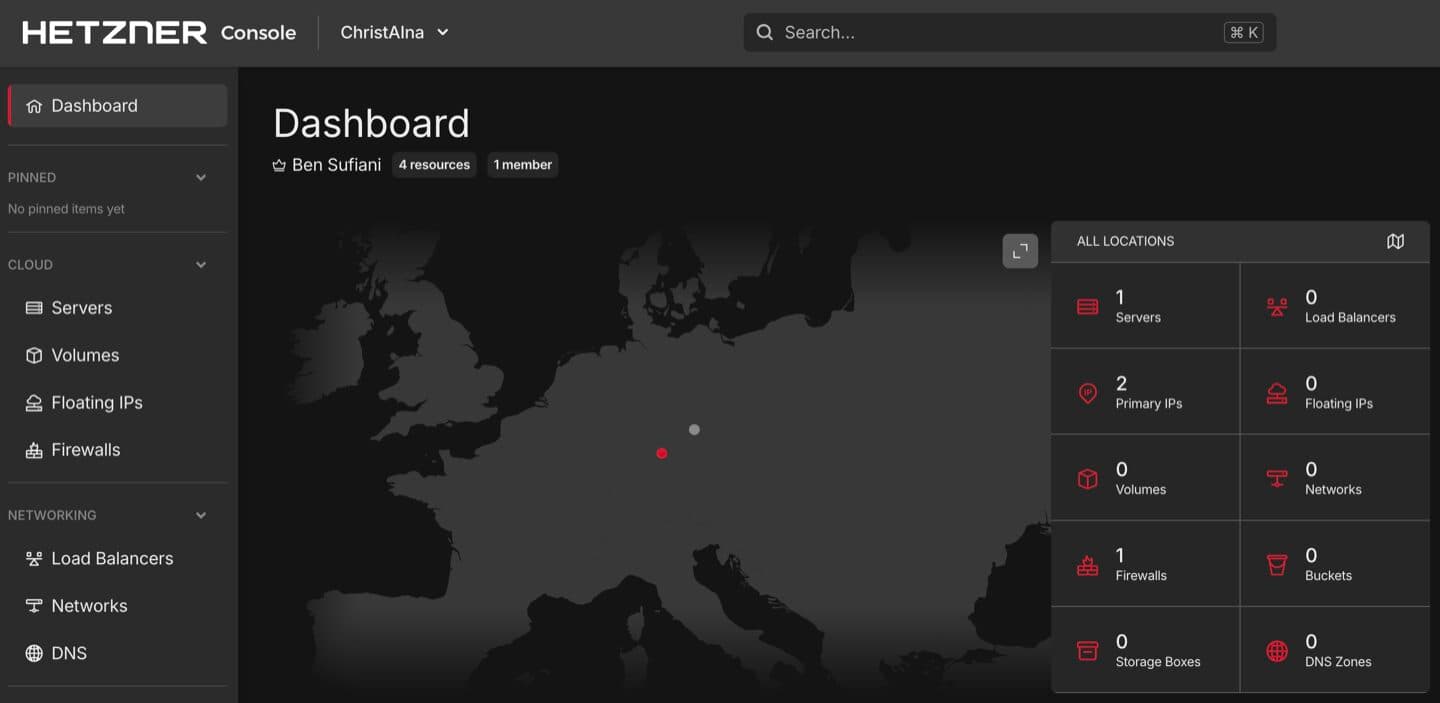
So here's how it actually went. I found openclaw-infra, a deployment template by Andreas Spannagel from our Cologne-based vibe coding community. I pointed Claude Code at the repo and said: “Set this up for me.”
And it did. I was the click dummy. Claude Code did 95% of the work. My contribution was creating accounts, generating API keys, and pasting tokens where it told me to. Andreas's template handles the heavy lifting – it sets up OpenClaw on a Hetzner CX43 (~$12/month) with secure zero-trust networking via Tailscale, so only your devices can reach it.
From never having touched OpenClaw to having a running agent I could talk to via Telegram – about one hour.
One hour to baseline. Many more hours to get it truly useful. The setup is fast. The onboarding – giving it tools, context, channels, responsibilities – that's where the real work lives.
Onboarding an
AI Teammate
Setting up an agent is like onboarding a human hire. You don't just hand them a laptop and say “go.” You give them a workspace, introduce the tools, explain how you communicate, and define their responsibilities.
ChristAIna runs on Claude Opus 4.6 – one of the most capable AI models available. But even the smartest model can't access your CRM, check your calendar, or deploy your code out of the box. It doesn't know how you like your projects managed. And it forgets everything between sessions.
So the onboarding is really about solving four gaps:
Tools & Skills
Tools give ChristAIna access to software she can't reach natively. We prefer CLI tools over MCP servers – lower context usage, more stable connections. Skills teach her how we want those tools used. Not every tool needs a skill, but every skill has a tool behind it.
Many skills come from ClawHub, a skill marketplace for OpenClaw agents. Others we built ourselves.
Memory
AI models don't have inherent memory. Every conversation starts from scratch unless you build the infrastructure to remember.
Coding
With Claude Code, ChristAIna can write and ship software. The same capability that makes a Level 4 vibe coder powerful – now running from a Slack message.
That's the onboarding. Tools for access, skills for context, memory for continuity, and coding for autonomy. But all of that is just the setup. The real question is: what does she actually do with it all day?
What She
Actually Does
This is the part people ask about most. “Sounds cool, but what does an AI teammate actually do all day?”
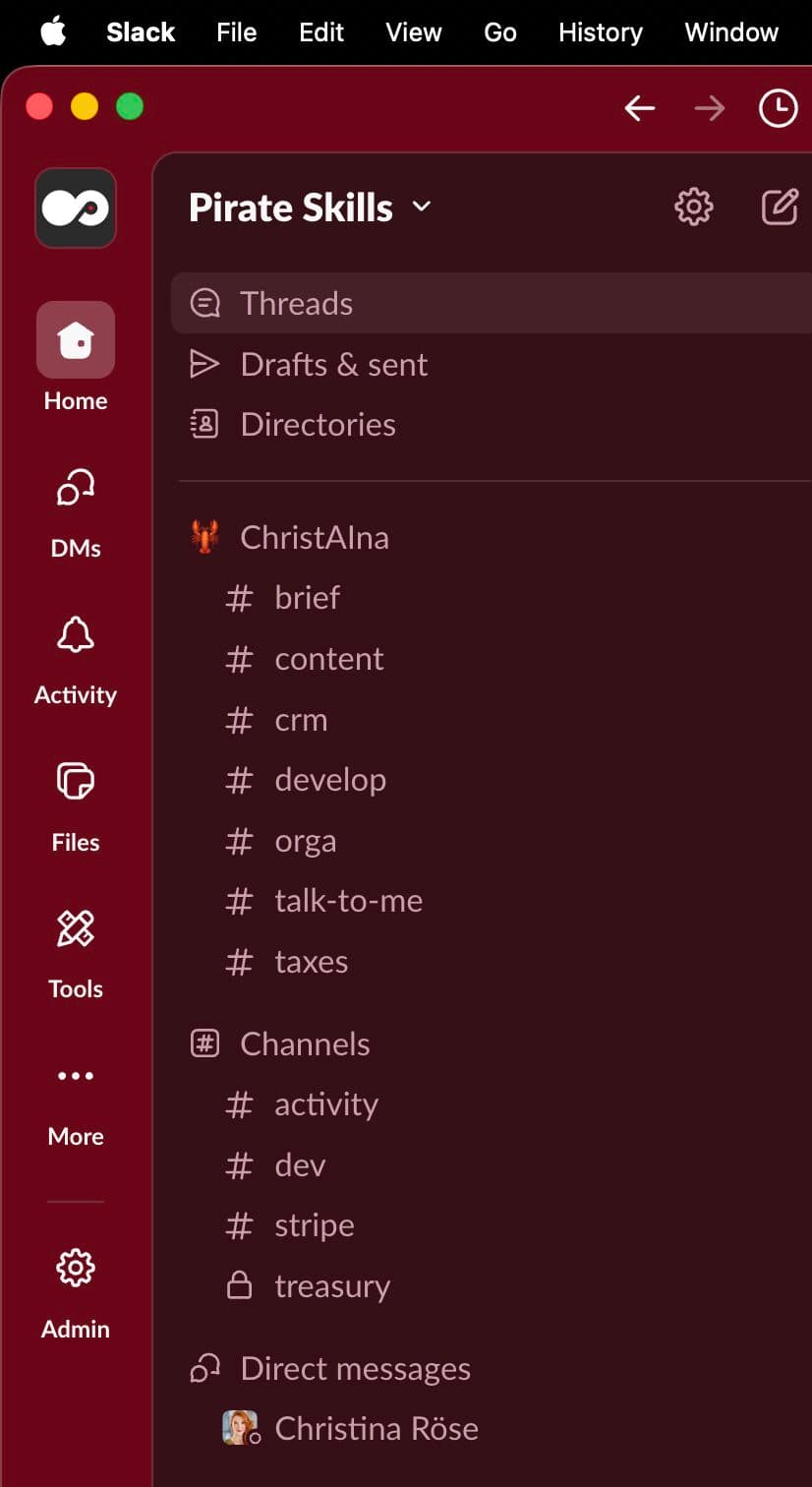
The short answer: it depends on the channel. We moved from Telegram to WhatsApp to Slack because context separation makes the agent smarter. Same principle as organizing a human team into departments. When ChristAIna works in #crm, she has CRM context. In #develop, dev context. No cross-talk, no confusion.
7 Channels. 7 Areas of Responsibility.
#brief – The Morning Brief
Every morning at 7:30, before I've had coffee, ChristAIna posts a brief to #brief. Calendar for the day, upcoming Cal.com bookings, email inbox highlights that need my attention, current Linear projects I should be working on, relevant news articles for content ideas, and a summary of what I should focus on today.
Here's a summarized and anonymized version – the real one has a lot more detail, but this gives you the idea:
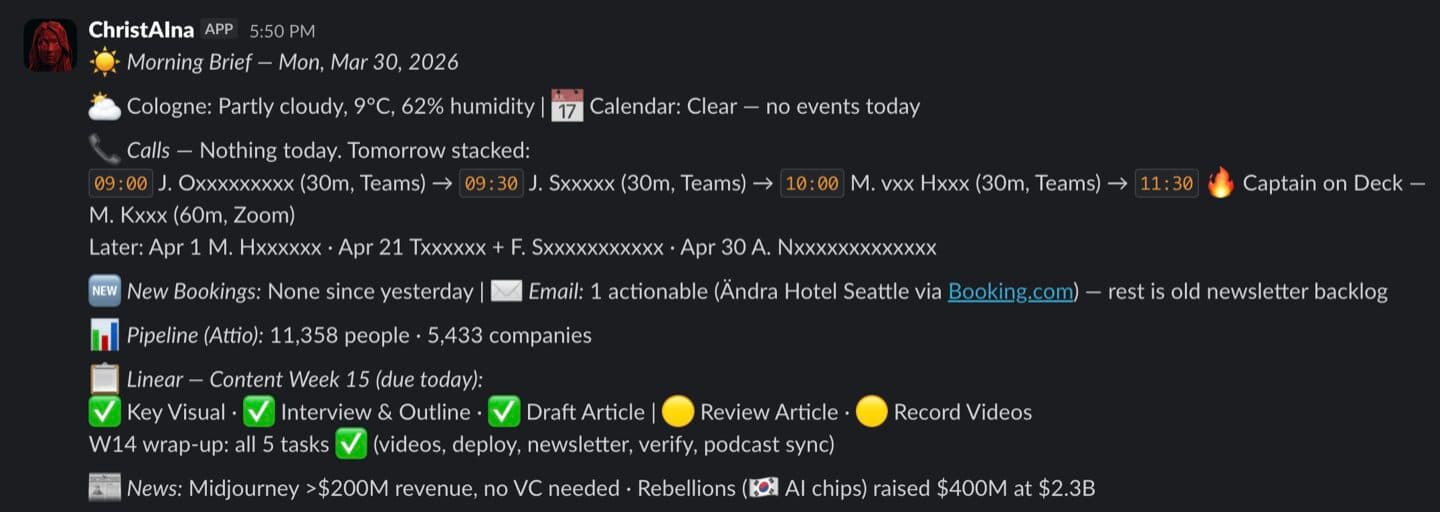
I open Slack, scroll through the brief, and I know exactly where my day stands. No checking five different apps. No mental load of piecing it together myself.
And whenever something isn't right – too much detail here, not enough there – I just say so. The agent updates itself, and the next morning the brief is slightly better than yesterday's. It improves every single day.
Which Use Case Should I Deep Dive Next?
I could write an entire article about each of these channels. For now, here's what I'm considering going deeper on – let me know which one you'd find most useful:
#develop
Full code-to-production pipeline – how a Slack message becomes a shipped feature
#crm
Automated pipeline hygiene – email monitoring, booking sync, and deal management
#content
Weekly content execution – from article status to caption rewriting and social scheduling
#orga
Business operations – the random admin tasks that eat your day if you let them
Have a different idea? Ask Ben on WhatsApp
Automated Routines
I don't believe AI agents are truly autonomous. Not yet, at least. What they are is reliable executors of well-defined schedules. It's our job to decide what gets done, how often, and where the results go. The agent does the work on time, every time – but the thinking about what matters is still ours.
ChristAIna runs two types of scheduled work: cron jobs (isolated sessions, single task, post to a channel) and heartbeats (main session with full context, deeper work).
Total cost: ~$12/month for the Hetzner server. Anthropic API is usage-based. OpenClaw itself is free. No SaaS subscription for the agent platform.
That's the picture when everything works. But it doesn't always work. And honestly, that's one of the most important things to talk about.
What Still
Breaks
I'm not going to pretend this is seamless. Things break. The daily MCP health check at 7:30 catches a lot of it automatically – it tests every connection, tries to self-heal what it can, and flags what it can't. But some problems need a human.
OAuth Token Expiry
MCP server connections drop when tokens expire. The Linear connection goes offline until you manually refresh it. One morning the agent couldn't access my entire project board because the token had silently expired overnight.
Sandbox Permission Conflicts
Google Calendar and Gmail OAuth tokens live in the system keyring. The Docker sandbox can't always access them. Result: degraded morning briefs where the calendar and email sections show up empty.
The Time Investment
The baseline install took an hour. Getting to the current state – seven channels, seven cron jobs, ten-plus skills – took many more hours over several weeks. Don't let “one hour to baseline” fool you into thinking you're done.
But here's the key difference between a tool and a teammate: ChristAIna tells you when something is broken. When the morning brief is degraded, the agent doesn't just skip the broken parts. It posts to #brief with explicit notes on what's missing and why. “Calendar section unavailable – GOG token expired. Email summary degraded – sandbox permission conflict.”
A tool fails silently. A teammate raises a flag and tells you what's wrong. That transparency changes everything – and it's also what makes this setup feel less like automation and more like having a real crew member.
Where “Repeat”
Gets Interesting
Build. Grow. Repeat.
For a long time, I thought of “Repeat” as the loop – build something, grow it, do it again. Iteration. But working with ChristAIna changed how I see that word.
“Repeat” might be the most interesting word in the tagline.
It's not just iteration. It's the organizational layer – the infrastructure that makes Build and Grow scalable. The routines, the automations, the teammate who keeps everything running while you focus on the work that actually needs you.
Right now, we're a team of three. One captain, one first mate, one AI quarter master. But this is where the journey is heading: from one agent teammate to a mighty crew.
This isn't a thesis. It's a tease. The direction is forming. And if you're a small team – a solo founder, a tiny crew, a two-person operation – this might be the most important unlock of the next few years: not hiring more humans, but onboarding AI teammates who make your small team mighty.
Cheers,
Ben
Ready to Go Deeper?
Don't miss the next Insight
Join the crew and get fresh perspectives delivered weekly.
Free account. No spam. Unsubscribe anytime.
Questions & Answers
Do I need to be technical to set up an OpenClaw agent?
How much does it cost to run an AI teammate?
What's the difference between an AI assistant and an AI teammate?
Why Slack instead of WhatsApp or Telegram?
What is OpenClaw?
What's QMD and why does it matter?
Can the agent actually write and deploy code?
What breaks most often?
What's the AI Skill Path and where does this fit?
Who is Andreas Spannagel and what is openclaw-infra?

Founder from Cologne with 15 years of startup experience across 9 ventures. After helping thousands master growth marketing, Ben learned vibe coding from scratch and launched CaptAIn within three months. He leads the Vibe Coding Cologne community, blending real founder experience with teaching clarity.