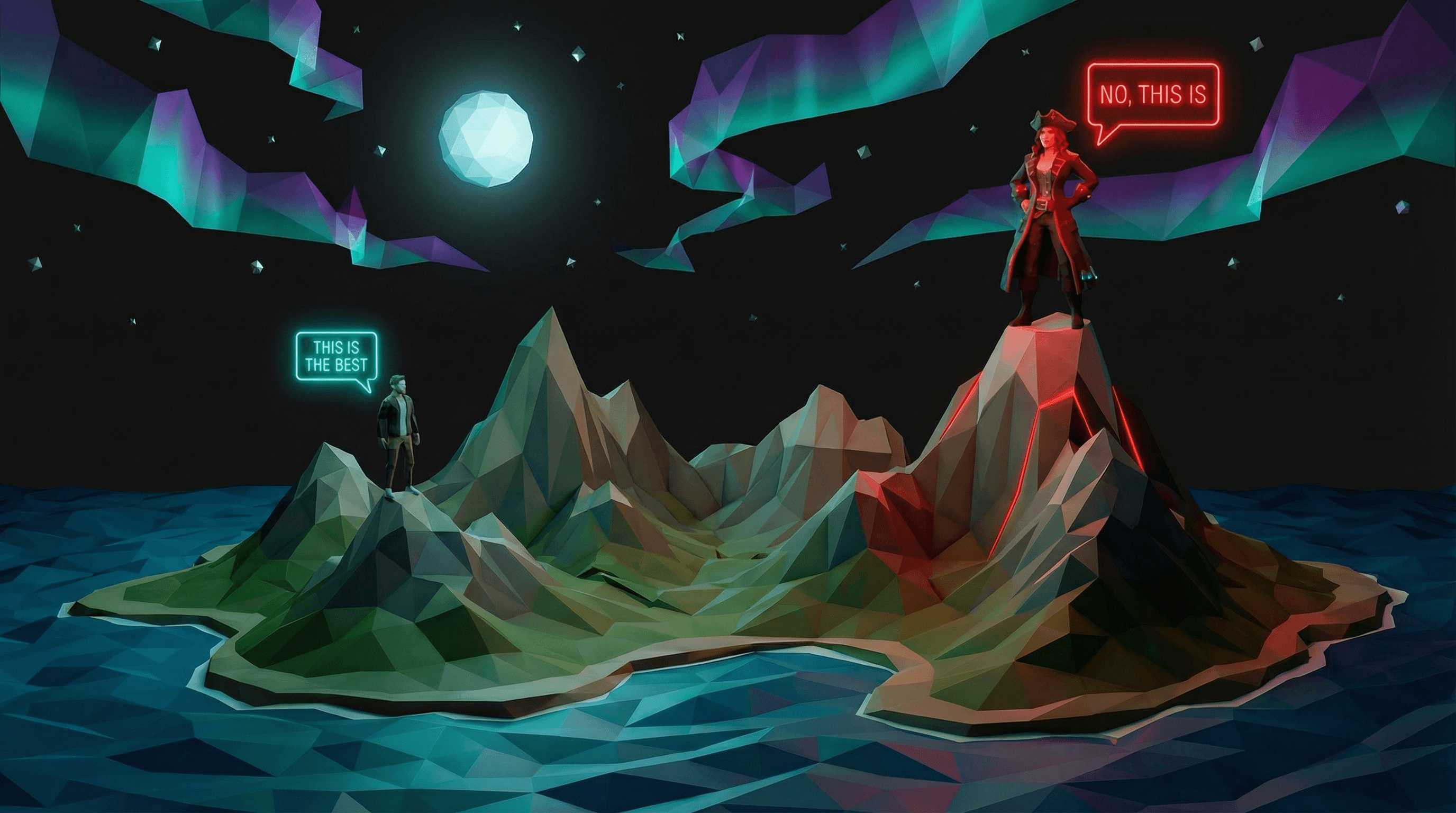
Message Testing
with AI Creatives
Generate strong angles, test with AI generated images and videos, and scale what converts. The complete workflow to test 3-6 messages in one week.
The Comfort of a Local Maximum
You've found a message that works. Maybe it came from a brainstorm, a gut feeling, or a team discussion. Your ads get clicks. Your landing page converts. You think: "This is it. This is our message."
But you're probably standing on a local maximum – a peak that feels like the top, but isn't. Somewhere out there is a message that converts 2x, 3x, maybe 10x better. A different angle on the same value proposition. A pain point you haven't emphasized. A benefit you've buried.
Real Example: Vibe Coding Cologne
I run a meetup called Vibe Coding Cologne. When I think about the strongest message, my gut says: Autonomy. The ability to build products yourself. Independence from CTOs. Freedom from needing funding. That's what I believe resonates most.
My hypothesis:
"Build it yourself – no CTO required"
← I think this is the winner
But is it? This article will put that assumption to the test.
The problem is that exploring the terrain is expensive. You need creatives for every angle you want to test. That means hiring a designer, waiting for drafts, giving feedback, waiting for revisions. So message testing becomes a B priority – important, but not urgent. You have something that seems to be working, so it can wait.
If you knew how much better the right message could perform, you'd be hustling to find it. But you don't know yet. And that's exactly why you need to test.
AI collapses the cost of exploration – and turns message testing from a B priority into something you can do this week.
Positioning First, Creatives Second
Before you test messages, you need positioning clarity. Without it, you're testing random ideas, not strategic angles.
No One Gets Positioning Like April
If you want to get positioning right, start with Obviously Awesome by April Dunford. It's my personal gold standard for B2B positioning in tech companies. She's worked with over 200 companies, from startups to Fortune 500, and her methodology is battle-tested.
The good news: AI models know her framework well. You can have an AI guide you through a positioning workshop in minutes, not days.
Copy this prompt into ChatGPT, Claude, or Gemini:
You are a positioning strategist trained in April Dunford's methodology from her books "Obviously Awesome" and "Sales Pitch".
Guide me through a positioning workshop. Ask me one question at a time about my product, and help me develop a clear positioning statement.
Start with: Who is my best-fit customer?
The Five Components of Positioning (+ 1)
April Dunford's framework breaks positioning into five components. I've added a sixth that's particularly useful for message testing:
1. Competitive Alternatives
What would your customers do if your solution didn't exist? This isn't just about direct competitors – it's about the status quo: spreadsheets, manual processes, doing nothing.
2. Unique Attributes
Your "secret sauce" – the features and capabilities you have that alternatives lack. This is what makes you different.
3. Value (and Proof)
The benefits those unique attributes enable for customers. Why should someone care about your differentiators? What do they get?
4. Target Market Characteristics
Who are your best-fit customers? These are the people who buy quickly, rarely ask for discounts, and recommend you to others.
5. Market Category
The market context you describe yourself as part of. This helps customers understand your value within a clear frame of reference.
+ 1 Pain Points
I always add this one for message testing: the specific frustrations your best-fit customers feel most deeply. Each pain point can become a distinct ad angle to test.
Why Creatives Fail Without Positioning
Creatives – both the visuals and the copy – are expressions of your positioning. Without a clear positioning foundation, you're just guessing.
Positioning is what gives you strong bets on which messages might resonate. It makes it much more likely that you'll find the true maximum for a given ICP – faster and more systematically than random experimentation.
But positioning alone doesn't end the guesswork. Data does. You run the tests, collect the results, and let the numbers tell you which bets paid off. That feedback loop is what turns educated guesses into proven messages.
The AI Creative Testing Workflow
Before you start, set up a place to keep your positioning work. Either use a ChatGPT project, or create a folder in your coding IDE (Cursor or Claude Code). My preferred setup is a /docs/context folder with markdown files for my positioning framework, general strategy, and social media channels.
The workflow has six steps: positioning, angle generation, creative production, campaign setup, conversion tracking, and analysis.
1. Positioning Foundation
Start with a specific ICP in mind – even if you have multiple target audiences. Focus on the one most relevant to the campaign you want to test. If you have multiple products, pick the one you're testing messages for. This focus gives you the clearest positioning and the strongest pain points.
Use the AI-guided positioning workshop prompt from the previous section. Let the AI interview you. Answer honestly. Document everything.
The output is a clear positioning statement ready for angle generation.
2. Angle Generation
Continue the same conversation after the positioning workshop – the AI already has your context. Ask it to generate 10+ messaging angles, each emphasizing a different pain point or benefit. Review them, give feedback, and iterate until you have 3-6 strong angles you want to test.
Copy this prompt into ChatGPT, Claude, or Gemini:
Based on the positioning we just developed, generate 10 different messaging angles for this target audience. Each angle should emphasize a different pain point or benefit.
Format each as:
- Angle Name
- Core Message (one sentence)
- Why This Works (brief explanation)
After listing all 10, rate each angle from 1-10 based on how likely it is to resonate with our ICP. Then ask me which angles are my favorites.
We'll iterate from there – keep suggesting new and better angles until I have 3-6 strong ones I'm really happy with.
Real Example: The 5 Angles We Tested for Vibe Coding Cologne
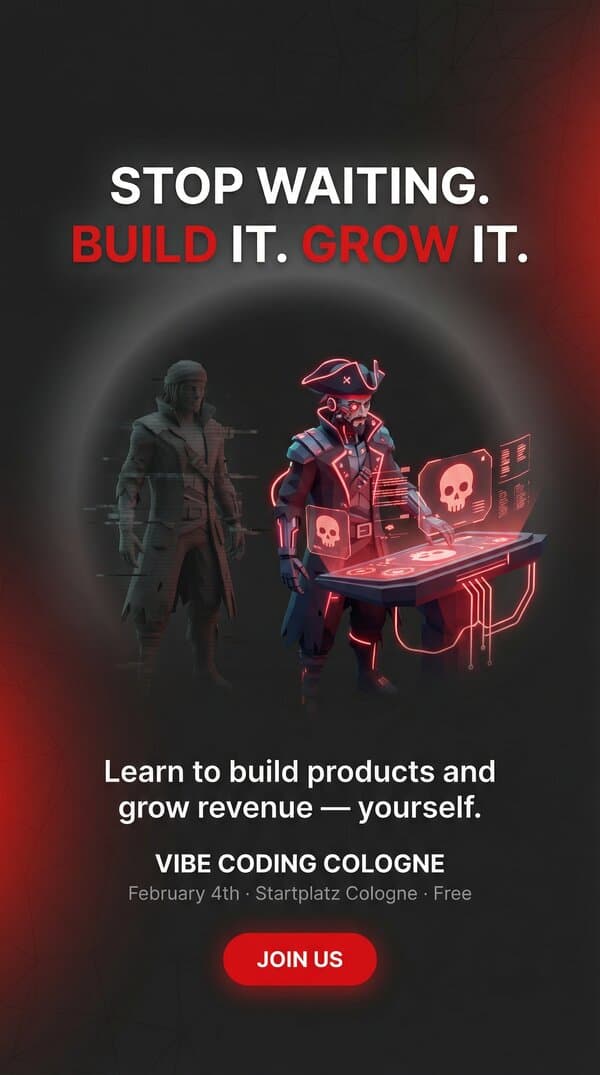
Angle 1
Autonomy
"Stop waiting. Build it. Grow it."
← My bet
Angle 2
Speed
"What took weeks now takes hours."
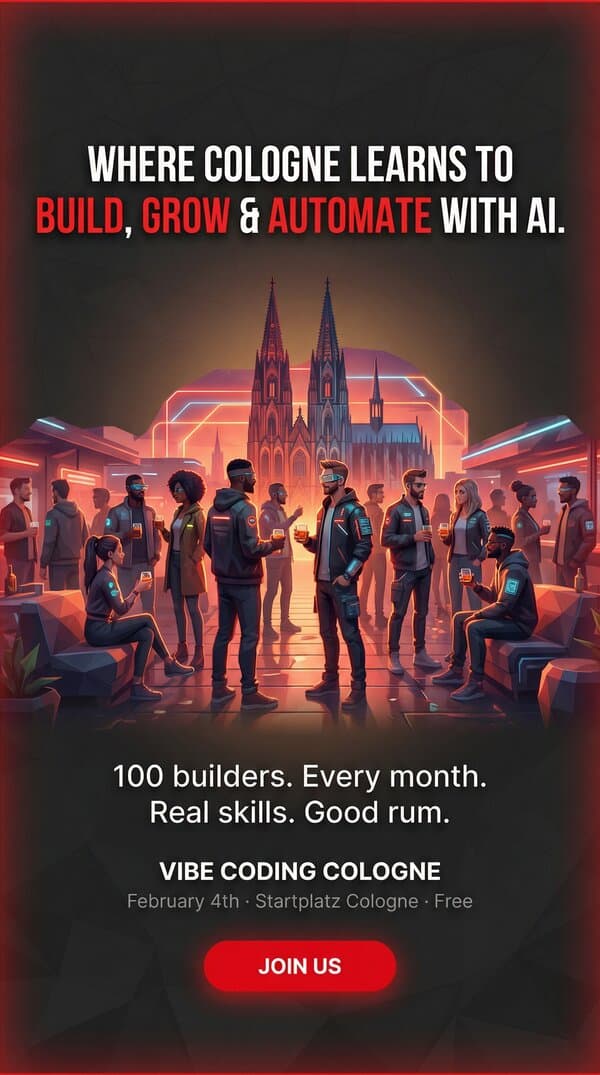
Angle 3
Community
"Where Cologne learns to build with AI."
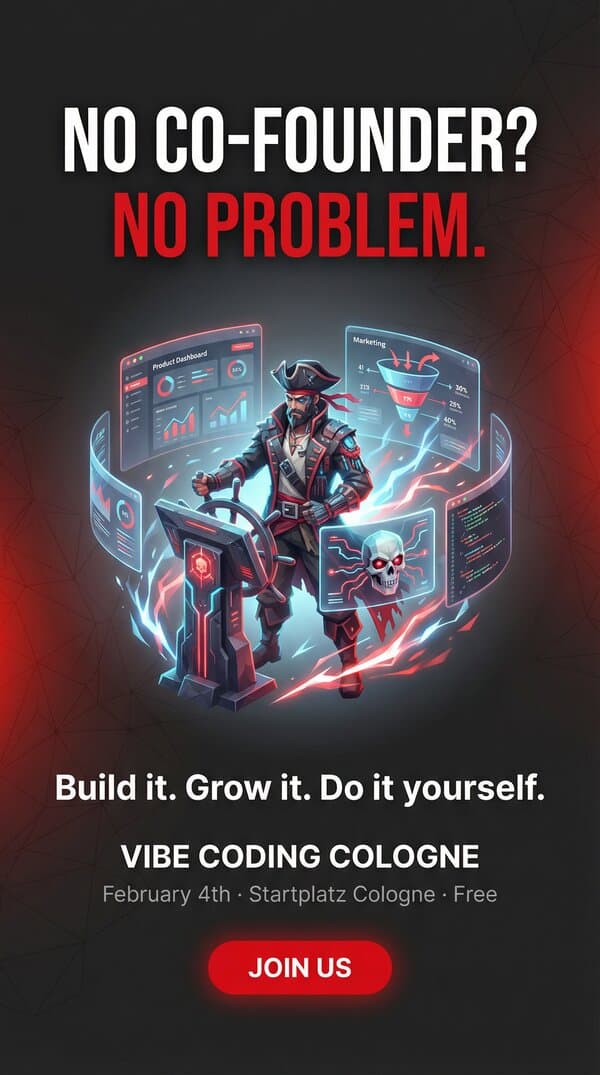
Angle 4
Co-founder Gap
"No co-founder? No problem."
Angle 5
Automation
"Automate what used to take a team."
The output is 3-6 distinct message angles ready for creative production. We'll see which one actually wins in the results section.
3. AI Image Creation
Use fal.ai with models like Nano Banana Pro to generate professional-quality images from text. Give the AI your design guidelines, generate a first version, and review the result.
Autonomy
Speed

Community
Co-founder Gap
Automation
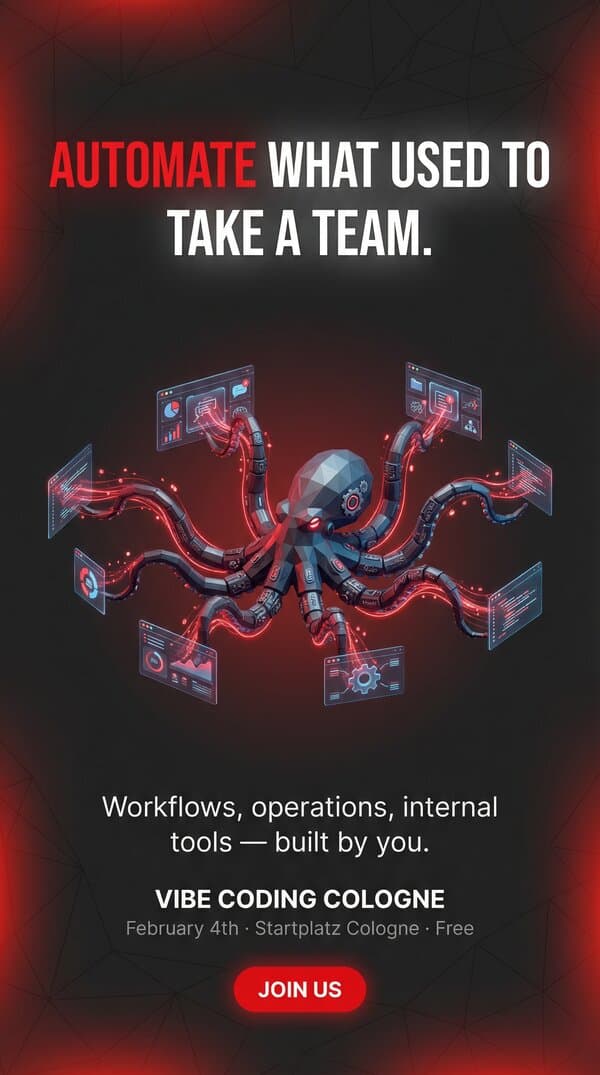
The 5 AI-generated creatives for Vibe Coding Cologne, each visualizing a different message angle.
Example prompt for the Autonomy ad: Professional social media ad design, complete finished creative, 9:16 aspect ratio (1080x1920). Background: Dark charcoal grey (#262626) with subtle textured depth – soft gradient glow radiating from center, faint low-poly geometric mesh pattern, cyberpunk...
Once you have a base creative you like, use Nano Banana Pro Edit to refine details with natural language – "make the background darker" or "add more contrast to the text" – without regenerating the entire image. Iterate until you're happy with the result.
This takes about 10 minutes per message – compared to 1-2 days with a designer.
4. Generate Video from Image
Turn your static images into eye-catching video ads using Veo 3.1 Fast. This model generates videos from a first frame and a last frame – if you use the same image for both, you get a nicely looping video that works perfectly for social ads.
I recommend 6-second duration with no audio – that costs $0.60 per generation. Expect about 3 iterations per video to get a version you're happy with, so budget roughly $2 per final video. For 5 message angles, that's about $10 in video generation – trivial compared to designer costs.
Autonomy
Speed
Community
Co-founder Gap
Automation
The same 5 angles, now as looping video ads generated from the static images.
Example prompt for the cover animation: Subtly animate the water and the Aurora in the sky. Animate in the neon text bubbles first "This is the best" Then "no, this is". And the figures should animate slightly when saying the bubble animate. And I would like to have a subtle lava flow...
5. Build a Media Prompt Library
After a few rounds of image and video generation, you'll have prompts that consistently produce results you love. Feed these winning prompts to your AI assistant and ask it to extract your general style guidelines – the visual language, color palette, composition rules, and aesthetic choices that define your brand.
The AI will distill these into reusable template prompts you can adapt for future campaigns. Instead of starting from scratch each time, you'll have a prompt library that makes the next round even faster.
I'm going to share my favorite image and video generation prompts that produced great results for my brand. Please analyze them and extract:

1. **Visual Style Guidelines** – The consistent aesthetic elements (colors, lighting, composition, art style)
2. **Brand Voice in Visuals** – The mood, tone, and feeling my visuals convey
3. **Technical Patterns** – Common parameters, aspect ratios, quality settings I use
4. **Template Prompts** – 3-5 reusable base prompts I can adapt for future campaigns

Here are my winning prompts:

[Paste your best image generation prompts here]

[Paste your best video generation prompts here]

Create a style guide document I can reference for future creative work.
6. Message Testing Campaign
Why paid ads instead of organic posts? Organic reach is unpredictable – your post might get 50 views or 5,000 depending on timing and algorithm mood. Paid ads give you controlled, comparable data: same budget, same audience, same timeframe. You're testing the message, not your luck with the algorithm.
Use Meta Ads (B2B + B2C) or LinkedIn Ads (B2B only). The key is structure: one campaign, one ad set per message angle, and both image + video creatives in each ad set.
Set a fixed budget of $20/day per ad set. With 5 angles, that's $100/day total. Run for 5 days = $500 total test budget.
Optimize for conversions (actual actions like signups or purchases) whenever possible – the algorithm will find people who actually take action, not just click. If your tracking pixel (a small code snippet that reports user behavior back to the ad platform) doesn't have enough conversion data yet, start with click optimization to gather initial data, then switch to conversion optimization once you have enough signal.
Conversion Tracking
Most founders fail here: they test messages without proper conversion tracking. Click-through rates (CTR – the percentage of people who click your ad) alone don't tell you which message actually drives action. You need to track real conversions – form submissions, purchases, call bookings.
The setup involves three parts:
- Cookie Consent – Required by GDPR/privacy laws. Tools like Iubenda or Cookiebot handle the banner and user preferences.
- Event Tracking – Fire events when users take actions. PostHog or Google Tag Manager can manage this without code changes.
- Meta Pixel – Install the Meta Pixel and configure it to fire on conversions. This feedback loop lets Meta's algorithms learn which users convert and find more people like them.
Analyzing Results
After 48-72 hours, you'll have enough data to compare your angles. For lead generation campaigns, focus on these four metrics:
- CTR (Click-Through Rate) – Percentage of viewers who click. Tells you which messages grab attention. Good: above 1-2%. Great: above 3%.
- CPC (Cost Per Click) – How much you pay for each click. Lower is better, but only matters if clicks convert. Typical B2B: $1-5.
- Conversion Rate – Percentage of clickers who become leads. The real test of message-market fit. Good: 5-15%. Great: above 20%.
- CPL (Cost Per Lead) – Your bottom line metric. How much each lead costs. B2B SaaS typical: $20-50. B2C: $5-15.
Identify the winning angle – the message with the best CPL and volume. Then decide: iterate on the winner with new creatives, scale by increasing budget, or pivot back to positioning if nothing converts.
What Good and Bad Looks Like
Real example: Vibe Coding Cologne event campaign. I tested 5 different message angles with both image and video creatives. Here's the raw data from Meta Ads after 4 days and €300 spent.
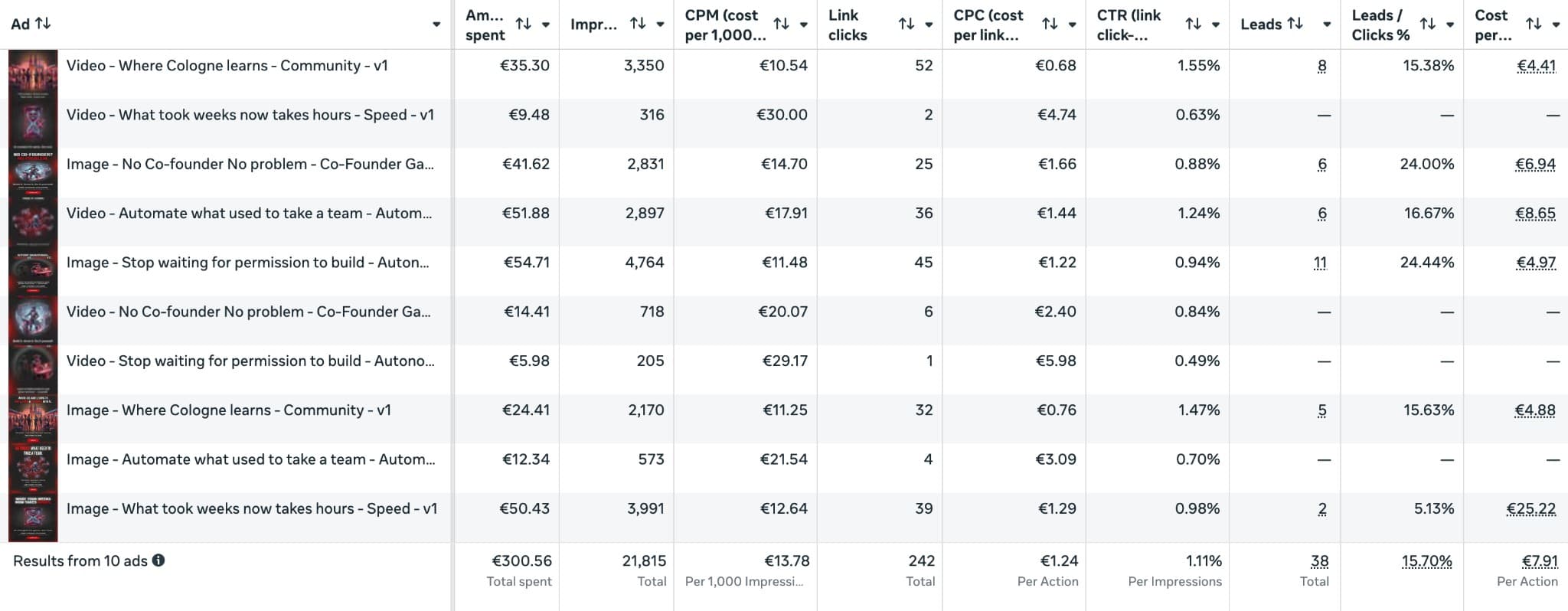
Meta Ads Manager export – Jan 30 to Feb 2, 2026
Campaign Results by Ad
Only ads with 1,000+ impressions are reliable. Below threshold, data is too noisy to draw conclusions.
| Ad | Spend | Impr. | Clicks | CTR | CPC | Leads | Conv % | CPL | Rating |
|---|---|---|---|---|---|---|---|---|---|
| Video - Community | €35.30 | 3,350 | 52 | 1.55% | €0.68 | 8 | 15.4% | €4.41 | ★ WINNER |
| Image - Autonomy | €54.72 | 4,765 | 45 | 0.94% | €1.22 | 11 | 24.4% | €4.97 | ●●● |
| Image - Community | €24.41 | 2,170 | 32 | 1.47% | €0.76 | 5 | 15.6% | €4.88 | ●●○ |
| Image - Co-Founder Gap | €41.65 | 2,833 | 25 | 0.88% | €1.67 | 6 | 24.0% | €6.94 | ●●○ |
| Video - Automation | €51.89 | 2,899 | 36 | 1.24% | €1.44 | 6 | 16.7% | €8.65 | ●○○ |
| Image - Speed | €50.43 | 3,993 | 39 | 0.98% | €1.29 | 2 | 5.1% | €25.22 | ✗ |
| Video - Co-Founder Gap | €14.41 | 718 | 6 | 0.84% | €2.40 | 0 | – | – | ? |
| Image - Automation | €12.34 | 573 | 4 | 0.70% | €3.09 | 0 | – | – | ? |
| Video - Speed | €9.48 | 316 | 2 | 0.63% | €4.74 | 0 | – | – | ? |
| Video - Autonomy | €5.98 | 205 | 1 | 0.49% | €5.98 | 0 | – | – | ? |
Muted rows: below 1,000 impressions threshold – insufficient data to judge. Hover over column headers for metric explanations.
Campaign Results by Message
Aggregating image + video performance for each message angle reveals which positioning resonated strongest.
| Message Angle | Spend | Impr. | CTR | Leads | Conv % | CPL | Rating |
|---|---|---|---|---|---|---|---|
| Community | €59.71 | 5,520 | 1.52% | 13 | 15.5% | €4.59 | ★ WINNER |
| Autonomy | €60.70 | 4,970 | 0.93% | 11 | 23.9% | €5.52 | ●●● |
| Co-Founder Gap | €56.06 | 3,551 | 0.87% | 6 | 19.4% | €9.34 | ●●○ |
| Automation | €64.23 | 3,472 | 1.15% | 6 | 15.0% | €10.71 | ●○○ |
| Speed | €59.91 | 4,309 | 0.95% | 2 | 4.9% | €29.96 | ✗ |
Campaign Results by Format
Did images or videos perform better? The answer depends on what you're optimizing for.
| Format | Spend | Impr. | Clicks | CTR | CPC | Leads | Conv % | CPL | Verdict |
|---|---|---|---|---|---|---|---|---|---|
| Images | €183.55 | 14,334 | 145 | 1.01% | €1.27 | 24 | 16.6% | €7.65 | Best for conversions |
| Videos | €117.06 | 7,488 | 97 | 1.30% | €1.21 | 14 | 14.4% | €8.36 | Best for attention |
Images drove more total leads (24 vs 14) with a higher conversion rate (16.6% vs 14.4%). Videos had better CTR (1.30% vs 1.01%) and lower CPC (€1.21 vs €1.27) – better for awareness, worse for direct response.
CTR vs. Conversion: We Got Lucky
In this campaign, the highest CTR ad (Video - Community at 1.55%) also had the lowest cost per lead (€4.41). That's lucky – it doesn't always work out that way.
But look at the "Speed" angle: it had a decent CTR (0.98%) with plenty of impressions (3,993) – if I only had click data, I might have thought it was performing okay. The conversion rate tells the real story: just 5.1% of clickers signed up, resulting in a €25.22 CPL. Without conversion tracking, I could have scaled this loser.
The "Autonomy" image is another example: lower CTR (0.94%) but the highest conversion rate (24.4%). People who clicked really wanted it. CTR alone would have ranked it below average.
The lesson: CTR tells you what grabs attention. Conversion rate tells you what drives action. You need both.
Database vs. Meta: Trust but Verify
Ad platforms count leads differently than your database. Meta tracks form submissions; your database tracks completed signups. Here's how the top two performers compare:
| Ad | Spend | Meta Leads | DB Leads | True CPL | Verdict |
|---|---|---|---|---|---|
| Video - Community | €35.30 | 8 | 12 | €2.94 | ★ TRUE WINNER |
| Image - Autonomy | €54.72 | 11 | 7 | €7.82 | Overreported |
Video - Community actually performed even better than Meta reported – 12 real signups vs. 8 reported, bringing the true CPL down to €2.94. Meanwhile, Image - Autonomy was overreported: 7 real signups vs. 11 reported.
The database confirms Video - Community as the clear winner. Always verify ad platform numbers against your actual data.
What We Learned
- Clear winner: Community – Both Meta and database confirm it. Video - Community had the best CTR (1.55%), lowest true CPL (€2.94), and most verified leads (12). People respond to belonging.
- Runner-up with caveats: Autonomy – Image - Autonomy had the highest reported conversion rate (24.4%), but Meta overreported: 11 leads in their dashboard vs. 7 in my database. That shifts the true CPL from €4.97 to €7.82. Still a solid angle, but always recalculate when you see discrepancies – Meta tends to count duplicate or partial conversions.
- The mediocre middle – Co-Founder Gap and Automation weren't bad, just not great. My take: either cut them to focus budget on proven winners, or invest time repositioning those angles before testing again. Mediocre results often mean the positioning wasn't sharp enough.
- Kill your losers fast – The Speed angle had decent clicks but terrible conversions. Without tracking, I might have wasted budget scaling it.
- Format insight – Videos grabbed more attention (higher CTR), but images converted better. For lead gen, test both – but expect images to drive more signups per dollar.
Next Steps
- ↑Scale Community – The verified winner. Create more video and image variations around this angle.
- ↑Iterate on Autonomy – Despite the overreporting, the angle resonates. Test new creatives and verify results.
- ?Decide on the middle – Co-Founder Gap and Automation need sharper positioning or should be cut. Don't let mediocre angles eat your budget.
- ✗Kill Speed – It doesn't convert. Move on.
Total spend: €300. Total leads: 38 (Meta) / 37 (database). Winner identified in 4 days.
Your Turn
You now have the complete workflow. Positioning first, then angles, then AI-generated creatives, then a structured campaign with proper tracking, then analysis against your real data. No guessing. No gut feelings. Just systematic testing that tells you which message wins.
The best part? This used to take weeks and thousands of dollars. With AI creatives and a focused budget, you can run a meaningful test in a few days for a few hundred dollars. The barrier to message testing has never been lower.
So here's my challenge to you: pick one product and one audience. Define your positioning. Generate five angles. Create the creatives. Set up a campaign with €300-500. Run it for a week. Then look at the data – not just what the ad platform tells you, but what your database confirms.
You might be surprised. The message you thought was strongest might not be. The angle that felt too simple might outperform everything else. That's the power of testing: it replaces assumptions with evidence.
And if you want to go deeper – if you want hands-on guidance running this workflow for your specific business, feedback on your positioning, or help interpreting your results – that's exactly what we do in Growth Lab. It's a free weekly session where we work through real growth challenges together. For more structured learning, Growth Forge is a workshop series that goes deep on topics like this.
But honestly? You don't need us to get started. Everything you need is in this article. The prompts, the workflow, the analysis framework – it's all here. The only thing left is to do it.
Stop guessing. Start testing. Find your winning message.
Cheers,
Ben
Ready to Go Deeper?
Don't miss the next Insight
Join the crew and get fresh perspectives delivered weekly.
Free account. No spam. Unsubscribe anytime.
Questions & Answers
How do I know if my positioning is clear enough to start testing?
Can I test more than 6 messages at once?
What if I don't have conversion tracking set up yet?
Should I test static or animated creatives first?
How long should I run the test before deciding on a winner?
What's a good cost per lead benchmark for B2B SaaS?
When should I scale vs. iterate on the winning message?
Can I use this workflow for B2C vs. B2B?
What if none of my angles are converting?
Do I need to use fal.ai specifically, or can I use other AI image tools?

Founder from Cologne with 15 years of startup experience across 9 ventures. After helping thousands master growth marketing, Ben learned vibe coding from scratch and launched CaptAIn within three months. He leads the Vibe Coding Cologne community, blending real founder experience with teaching clarity.