
Email Testing
Increasing the conversion rate of our emails
1. Goal - Optimize email conversions
What You've Already Built
In the Website Testing lesson, you learned to systematically optimize landing pages. Now it's time to focus on another critical conversion surface: email. Emails are your direct line to prospects and customers–and they often have the highest ROI of any marketing channel.
What You're Deciding Here
This lesson helps you answer: How do I systematically improve email performance?
Email optimization spans the entire journey from send to conversion:
- Deliverability: Do emails reach the inbox?
- Open rates: Do subject lines compel opens?
- Click rates: Does content drive clicks?
- Conversion rates: Do emails drive the desired action?
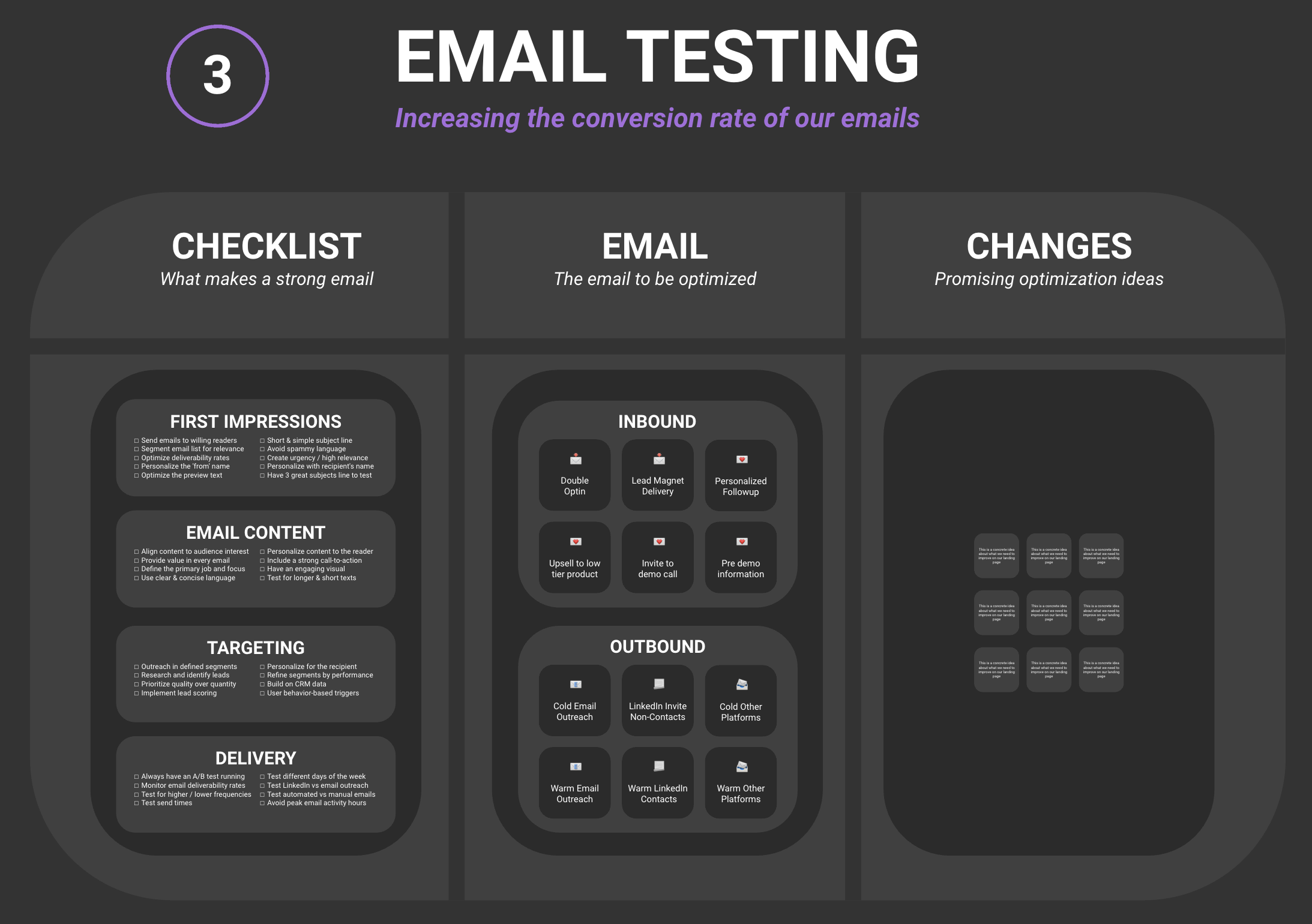
You'll learn to optimize across four dimensions:
- First Impressions: Subject lines, preview text, sender name
- Email Content: Value, structure, clarity, visuals
- Targeting: Segmentation, personalization, timing
- Delivery: Deliverability, frequency, A/B testing
What Should You Focus On First?
Your starting point depends on where you're losing people:
If Your Deliverability is Low
Focus on technical foundations. Clean your list, authenticate your domain, warm up sending reputation. Nothing else matters if emails don't reach the inbox.
If Open Rates Are Low
Focus on subject lines and sender reputation. Test different approaches, build recognition, deliver value so people want to open your emails.
If Click Rates Are Low
Focus on content and CTAs. Is the value clear? Is the ask obvious? Is the content engaging?
If Conversions Are Low
Focus on alignment between email and landing page. Is the transition smooth? Does the page deliver what the email promised?
Your Decision
By the end of this lesson, you'll understand your email performance across the funnel and have specific experiments designed to improve results.
Outcome: You have an audit of your email performance with prioritized improvements.
2. Email Checklist - What makes a strong email
Before running advanced experiments, ensure your emails meet baseline standards. High-performing emails nail the fundamentals across four areas.
First Impressions
Subscribers decide whether to open in seconds. Make those seconds count.
- Sender name: Recognizable and trustworthy (personal name often beats company name)
- Subject line: Short, clear, compelling (avoid spam triggers)
- Preview text: Extends the subject line with additional value
- Personalization: Name, company, or relevant details in subject
Email Content
Once opened, the email must deliver value and drive action.
- Clear value: What does the reader gain from this email?
- Single focus: One primary message and CTA
- Scannable format: Headers, bullets, short paragraphs
- Engaging visuals: Images that reinforce (not replace) the message
- Clear CTA: Obvious next step, above the fold
- Concise copy: Respect their time, get to the point
Targeting
The right message to the right person at the right time.
- Segmentation: Different messages for different audiences
- Personalization: Content tailored to their situation
- Behavioral triggers: Emails based on actions, not just schedules
- Timing: Sent when they're likely to read
- Lead scoring: More attention to more engaged contacts
Delivery
Technical foundations that ensure emails arrive and perform.
- Domain authentication: SPF, DKIM, DMARC configured
- List hygiene: Regular cleaning of bounces and unengaged
- Sending frequency: Consistent but not overwhelming
- A/B testing: Always testing something
- Mobile optimization: Readable on any device
Outcome: You have a checklist assessment with prioritized fixes for your emails.
3. Email Optimization - Systematic improvement
With your audit complete and checklist gaps identified, it's time to design specific email experiments. Email is particularly well-suited to testing because you can split audiences and measure results quickly.
High-Impact Test Areas
Based on typical results, these areas often yield the biggest improvements:
Subject Lines
Subject lines have outsized impact on open rates. Test:
- Length (short vs. longer)
- Personalization (name, company)
- Urgency vs. curiosity vs. benefit-focused
- Questions vs. statements
- Emojis (use sparingly, test impact)
Sender Name
Who the email appears to come from affects opens. Test:
- Personal name (Ben from Pirate Skills)
- Company name
- Role (CEO, Support Team)
- Combinations
Email Structure
How you present content affects engagement. Test:
- Plain text vs. designed HTML
- Length (short vs. long)
- Number of links and CTAs
- Image usage (more vs. fewer)
- Opening hook approaches
Calls-to-Action
The CTA is where clicks happen. Test:
- Button vs. text link
- CTA copy and positioning
- Single vs. multiple CTAs
- Above vs. below the fold
Send Timing
When you send affects opens and engagement. Test:
- Day of week
- Time of day
- Timezone optimization
- Triggered vs. scheduled
Segmentation and Personalization
Relevance drives results. Test:
- Segment-specific messaging
- Dynamic content blocks
- Personalization depth (name vs. full context)
Outcome: You have specific email experiments ready to run.
4. Your Email Testing Library
Creating Your Email Testing Document
Throughout this lesson, you've audited your email performance, run the checklist, and designed experiments. Now it's time to consolidate everything into a single reference document for ongoing email optimization.
The Goal: An Email Optimization System
This Email Testing document will serve as your:
- Reference for email standards and best practices
- Record of performance audits
- Experiment tracker for email tests
- Learning log for what works in your emails
Having your email optimization documented means you build institutional knowledge about what resonates with your audience.
Outcome: You have a complete Email Testing document that captures your email optimization system.